Online leave tracker
Your leave tracker, out of Excel
Most leave trackers start as an Excel sheet and stay there long after they stop working. Leavepad is an online leave tracker that does the same job without the formulas: employees apply for leave, managers approve it, and every balance updates on its own.
Get started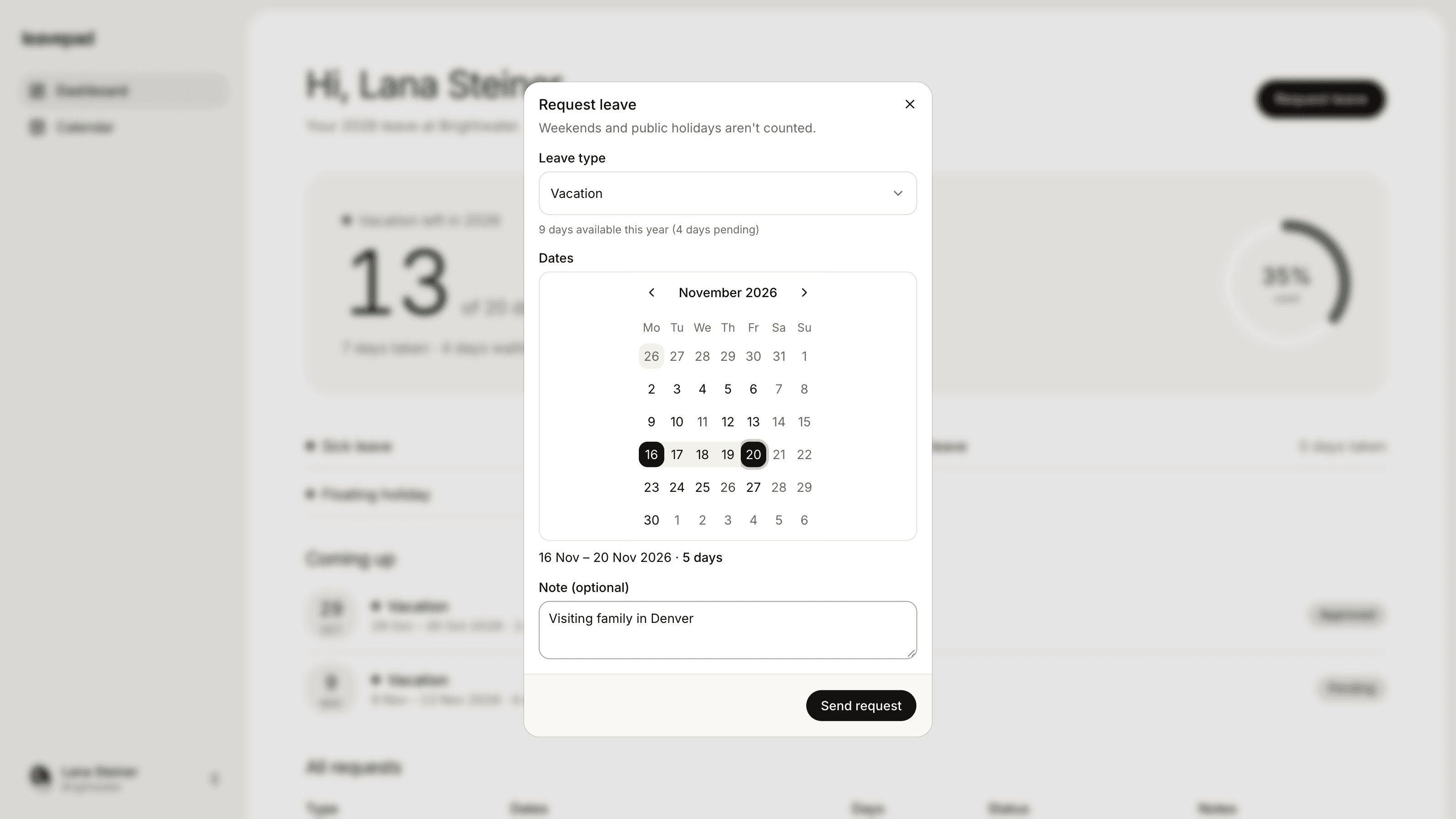
Sound familiar?
One person keeps the sheet
Every leave application goes through the one person who knows how the Excel tracker works, and stops when they're on leave themselves.
Formulas that quietly break
Someone sorts a column or pastes over a cell, and the balances are wrong for months before anyone notices.
Ten copies of the same file
The tracker has been emailed around so often that nobody knows which version is the real one.
Leave types
Earned, casual and sick leave, each with its own quota
Set up the same leave types your Excel tracker has today, whatever you call them: earned or privilege leave, casual leave, sick leave, comp off or unpaid leave. Give each one a yearly quota or no limit, and decide which need approval.
- Name leave types the way your policy does
- A yearly quota, or no limit
- Carry forward earned leave, reset casual leave
Leave balance
Opening balance, leave used, closing balance
Everything your leave tracker sheet worked out, Leavepad works out for you. Each employee sees their balance for every leave type, and it changes the moment a leave application is approved or cancelled.
- A live balance per employee and leave type
- Only working days are counted
- No formulas to maintain
Comp off and adjustments
Comp off credited in two clicks
When someone works a weekend or a holiday, credit them a comp off day with a reason attached. The same works for opening balances when you move over from Excel, or any correction you need to make.
- Add or remove days from any balance
- A reason saved with every change
- Set opening balances when you switch
More from the online leave tracker
Leave applications
Employees apply for leave with dates and a note, and the request goes straight to their manager.
Team leave calendar
See every approved and pending leave on one calendar, instead of scrolling across a wide sheet.
Your holiday list
Add your company's holiday list once, or import national holidays for over 100 countries in one click.
Carry forward at year end
Unused leave is carried forward automatically each January, up to the limit you set for each leave type.
Leave without a limit
Track unpaid leave or work from home days with no quota, and still see every day taken.
Works on any device
Apply for and approve leave from a phone or a laptop. There's nothing to install.
What Leavepad replaces
One online leave tracker for the whole team, instead of the Excel leave tracker that someone updates on Friday afternoons.
- Leave applicationsAn email with the dates in the subject
- Leave approvalsA reply-all from the manager
- Leave balancesThe Excel leave tracker
- Comp offA comment in a cell
- Holiday listA PDF from HR in January
- Carry forwardA new sheet every year
Guide
How to move your leave tracker out of Excel
Switching from an Excel leave tracker takes an afternoon if you do it in the right order. The aim is to start the new tracker with exactly the balances the sheet shows, so nobody loses a day.
- 1
Pick a cut-over date
Choose a date, ideally the start of a month, after which all leave is applied for in the new tracker. Ask everyone to submit any pending applications in the sheet before then.
- 2
List your leave types and quotas
Copy each leave type from the sheet, with its yearly quota, whether it carries forward and whether it needs approval. This is a good moment to fix any rule nobody could explain.
- 3
Set holidays and the working week
Add this year's holiday list, or import your country's public holidays, and set the days your team works. This is what makes the new tracker count days the same way the sheet did.
- 4
Enter each person's opening balance
Invite everyone, set their manager, then adjust each balance to match the closing balance in the sheet on the cut-over date. Add any future leave that's already approved.
- 5
Archive the sheet
Make the Excel file read-only and tell the team where to apply for leave from now on. Keep the old sheet for your records, but stop updating it.
Free leave calculators
Business Days Calculator
Count the working days between two dates, or add business days to a date, skipping weekends and US federal holidays.
Open the calculatorHoliday Entitlement Calculator
Work out UK statutory annual leave for full-time, part-time and irregular-hours workers, including part-year starters, extra company leave and bank holidays.
Open the calculatorAbsence Rate Calculator
Work out your team's absenteeism rate, the days lost per employee and the pay cost of unplanned absence, by days or hours.
Open the calculator
Online leave tracker: FAQ
What is a leave tracker?
+
A leave tracker records each employee's leave quota, the leave they've applied for and taken, and their balance. Many teams use an Excel or Google Sheets template. An online leave tracker like Leavepad also handles applications and approvals, so balances update themselves.
Is an Excel leave tracker good enough?
+
For a few people it can be. As the team grows, Excel trackers break down: formulas get overwritten, copies multiply, applications arrive by email and never get entered, and carry forward has to be redone every year.
Can I track earned leave, casual leave and sick leave?
+
Yes. Create a leave type for each one with its own yearly quota and approval rule. Leave quotas in India depend on your state's Shops and Establishments Act or the Factories Act, so set them to match your policy.
Does it handle comp off?
+
Yes. Create a comp off leave type and credit days to someone's balance when they work a weekend or holiday, with a reason saved alongside. They then apply for comp off like any other leave.
Can I import my existing Excel tracker?
+
There's no file import yet, but switching is quick: set up your leave types, invite your team and adjust each person's balance to match their closing balance in the sheet. Most teams finish in an afternoon.
Does the leave tracker include public holidays?
+
Yes. Add your company's holiday list, such as Republic Day, Diwali and your state's festivals, or import national holidays for over 100 countries in one click. Holidays show on the calendar and are never deducted from a leave balance.
Can employees see their own leave balance?
+
Yes. Every employee has a dashboard showing their balance for each leave type and their upcoming leave, so nobody needs to ask HR.
More ways to use Leavepad
Leave management system
Leave policies, approvals, balances and the team calendar in one leave management system.
Learn moreAnnual leave tracker
An accurate annual leave record for every employee: entitlement, leave taken and what's left.
Learn moreTeam leave calendar
One shared calendar of who's off and when, kept up to date by every approved request.
Learn more
Built for every kind of team
Small businesses
A staff holiday tracker that handles allowances and public holidays without an HR department.
Agencies
Plan project staffing around annual leave and see clashes before a deadline does.
Accounting firms
Keep the team in the office through busy season and spread holidays across the quiet months.
Remote teams
One team leave calendar across time zones, so nobody is surprised by an empty chat channel.
Four-day week companies
Count leave in your working days, not someone else's, with no manual conversions.
Move your leave tracker out of Excel
Set up Leavepad for your team in a few minutes. Invite your people and they can book time off today.
Get started