Leave management system
Leave management, without the HR suite
Leavepad is a leave management system that does one job well. Set your leave policies once, and every request is checked, routed to the right approver and counted against the right balance, with the whole team's time off on one calendar.
Get started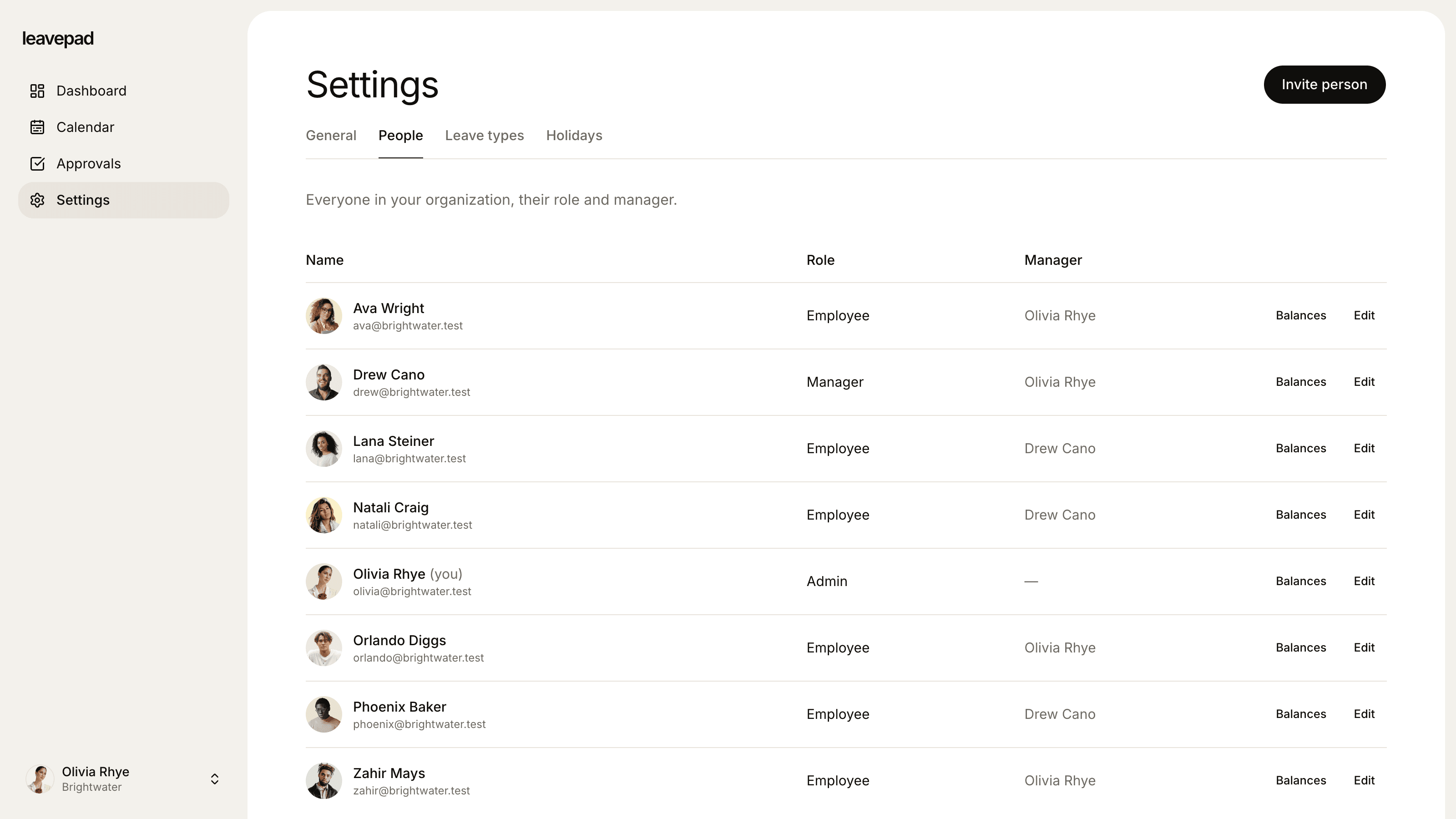
Sound familiar?
An HR suite for one feature
You pay for payroll, performance and onboarding modules when all your team really uses is the leave screen.
Policies that live in someone's head
Carry-over limits, who approves what and how part-timers are counted are known by one person, and applied differently by everyone else.
Every office does it differently
One team uses a spreadsheet, another uses a shared calendar, and nobody can see the whole picture at once.
Leave policies
Write your leave policy into the system once
Create a leave type for each kind of time off your policy covers. Give each one a yearly allowance or no limit, a carry-over cap and its own approval rule, and Leavepad applies them to every request from then on.
- As many leave types as your policy needs
- Allowance, carry-over cap and approval rule per type
- Unused days carry over automatically at year end
Approval workflow
Requests reach the right approver, every time
Each employee has a manager, and their requests go straight to that manager's approval list. Admins can approve anyone. Every decision is recorded with who made it, when and an optional note, so there's never a question about what was agreed.
- Managers approve their direct reports
- Admins approve or cancel any request
- Who approved it, when and why, on every request
Multiple organisations
One login for every company you run
Run more than one company or entity? Each organisation in Leavepad has its own people, leave types, holidays and settings, and its data is kept separate at the database level. Admins switch between them from one account.
- Separate policies and holidays per organisation
- Data isolated per organisation in the database
- Switch organisations without logging out
What else comes with the leave management system
Three clear roles
Employees request leave, managers approve their team, and admins manage people, policies and settings.
Shared team calendar
Approved and pending leave for everyone, by week or by month, so cover can be planned before it's a problem.
Holidays and working weeks
Import public holidays for your country, set your working days and time zone, and only real working days are counted.
Overlaps refused
A request that overlaps leave someone already has booked is stopped before it's sent, so balances can't be double counted.
Invite your whole team
Create an invite link for each person, set their manager and allowance, and they can book leave the same day.
Private by design
People only see what their role allows, and each company's data is walled off from every other company's.
What Leavepad replaces
One leave management system for the whole organisation, instead of an HR suite you only use for time off, or a spreadsheet nobody owns.
- Leave policyA PDF in a shared drive nobody reads
- Approval routingForwarding emails to the right manager
- Leave balancesA spreadsheet only HR can edit
- Year-end carry-overA week of manual recalculation
- Who's offAsking each team lead
- Multiple entitiesOne spreadsheet per company
Guide
How to choose a leave management system
Most leave management systems do the basics. The difference is how well they fit your policy and how quickly your team actually starts using them. Work through these questions before you pick one.
- 1
List every leave type and rule you have
Write down each kind of leave, its allowance, whether it needs approval, how much carries over and how part-time staff are counted. Any system you choose has to handle all of it without workarounds.
- 2
Check who approves what
Map out who approves each person's leave today. Look for a system that routes requests to the right manager on its own, lets admins step in, and records every decision.
- 3
Test it with your holidays and working week
Book a week that includes a public holiday, and one for someone who works four days. If the system counts either wrong, every balance it shows will be wrong too.
- 4
Ask where your data lives and who can see it
Leave records include sickness and family leave, which is sensitive. Check what each role can see, and how one company's data is kept apart from another's.
- 5
Run a real pilot
Set it up for one team, load their current balances and let them book real leave for a month. If people go back to email, the system is too hard to use, however many features it has.
Free tools for HR and people teams
Holiday Entitlement Calculator
Work out UK statutory annual leave for full-time, part-time and irregular-hours workers, including part-year starters, extra company leave and bank holidays.
Open the calculatorAbsence Rate Calculator
Work out your team's absenteeism rate, the days lost per employee and the pay cost of unplanned absence, by days or hours.
Open the calculatorBusiness Days Calculator
Count the working days between two dates, or add business days to a date, skipping weekends and US federal holidays.
Open the calculator
Leave management system: FAQ
What is a leave management system?
+
A leave management system is software that handles employee time off from start to finish: requesting leave, approving it, tracking how much each person has left and showing who's away. It replaces spreadsheets, email approvals and wall planners with one place everyone uses.
What features should a leave management system have?
+
At a minimum: employee self-service requests, manager approvals, accurate balances for each leave type, public holidays and working weeks, carry-over at year end and a shared team calendar. Clear roles and privacy controls matter too, because leave records include sickness and family leave.
Is Leavepad a full HR system?
+
No. Leavepad is a leave management system only. It doesn't run payroll, performance reviews or onboarding. If you already have tools for those, or don't need them yet, that keeps it simple to set up and easy for your team to use.
How long does it take to set up?
+
Most teams are set up in under an hour. Choose your country to import public holidays, set your working week, add your leave types and invite your team. Then adjust each person's balance to match what they have left this year.
Can it handle different leave policies?
+
Yes. Each leave type has its own allowance (or no limit), carry-over cap and approval rule, and you can adjust any individual's balance for part-time hours, long service or contract terms.
Can we manage more than one company?
+
Yes. One account can belong to several organisations, each with its own people, policies and holidays. Data is kept separate per organisation, and you switch between them from the menu.
Who can see employees' leave?
+
Everyone can see the team calendar, so they know who's away. Requests, notes and balances are only visible to the person, their manager and admins.
More ways to use Leavepad
Leave tracker
An online leave tracker that replaces the Excel sheet: earned, casual and sick leave counted for you.
Learn moreAbsence management software
Record sickness and every other absence the day it happens, with notes kept private.
Learn moreTeam leave calendar
One shared calendar of who's off and when, kept up to date by every approved request.
Learn more
Built for every kind of team
Small businesses
A staff holiday tracker that handles allowances and public holidays without an HR department.
Agencies
Plan project staffing around annual leave and see clashes before a deadline does.
Accounting firms
Keep the team in the office through busy season and spread holidays across the quiet months.
Remote teams
One team leave calendar across time zones, so nobody is surprised by an empty chat channel.
Four-day week companies
Count leave in your working days, not someone else's, with no manual conversions.
Set up your leave management system today
Set up Leavepad for your team in a few minutes. Invite your people and they can book time off today.
Get started